
Your wide-format printer or plotter is an important part of your business. When it works properly, your team can stay productive, meet deadlines, and deliver quality results. But when a plotter suddenly stops working, even a small mechanical or printing problem can quickly become an expensive interruption.
The good news is that many common plotter problems can be reduced with proper preventive maintenance.
Regular maintenance helps identify potential problems before they become major failures, improves print quality, and can extend the useful life of your equipment.
Here are seven important ways to keep your plotter running reliably.
1. Keep the Printhead Clean
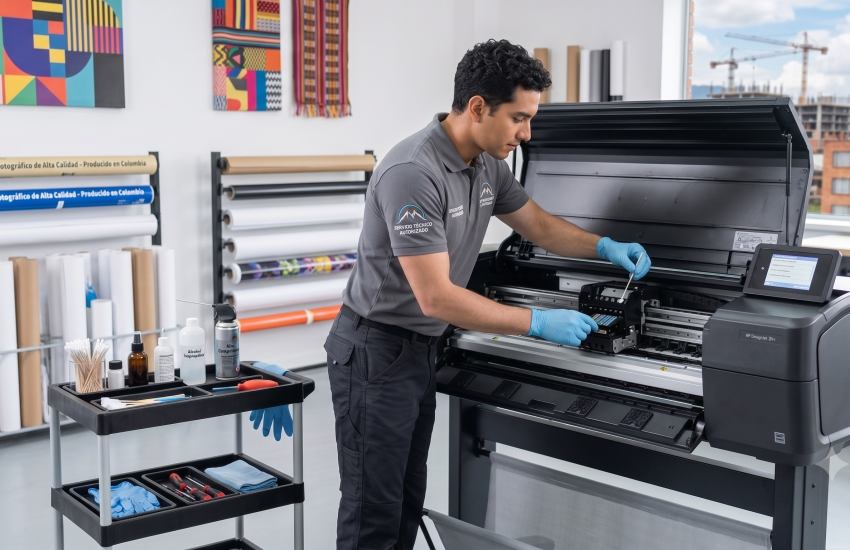
Printheads are one of the most important components of a wide-format printer. Ink buildup, dust, and other contaminants can affect nozzle performance and lead to poor print quality.
Common symptoms of printhead problems include:
- Missing lines
- Banding
- Uneven colors
- Blurry images
- Inconsistent ink application
Following the manufacturer’s recommended cleaning procedures can help maintain consistent performance.
However, aggressive or improper cleaning can sometimes cause additional problems. If cleaning cycles are not resolving the issue, professional diagnosis may be necessary.
2. Perform Regular Printer Calibration
Calibration helps your equipment maintain accurate color, alignment, and positioning.
Over time, normal equipment use can cause calibration settings to change. This can result in:
- Misaligned prints
- Incorrect color reproduction
- Uneven images
- Cutting or registration problems
Regular calibration is particularly important for businesses where color accuracy and precision are critical.
3. Inspect Rollers and Paper-Feed Components
Paper-feed problems are among the most frustrating issues for plotter operators.
Worn rollers, dust accumulation, damaged components, or incorrect media settings can cause:
- Paper jams
- Skewed media
- Feeding errors
- Wrinkled prints
- Repeated paper-feed failures
Regular inspection and cleaning of these components can help prevent unexpected interruptions.
4. Keep the Printer Environment Clean
Dust and debris can affect the performance of professional printing equipment.
Your printer should be located in a clean, stable environment with appropriate temperature and humidity levels according to the manufacturer’s recommendations.
Avoid allowing excessive dust, paper scraps, or other debris to accumulate around the equipment.
A clean working environment can help reduce contamination and unnecessary wear on internal components.
5. Pay Attention to Error Messages
An error code should never simply be ignored.
Some errors may be temporary, but recurring messages can indicate an underlying mechanical, electrical, software, or communication problem.
If the same error continues to appear after following the manufacturer’s recommended troubleshooting steps, professional diagnosis can help identify the actual cause instead of repeatedly resetting the machine.
6. Keep Firmware and Software Updated
Printer firmware, drivers, and software can affect communication between your computer and your plotter.
Keeping your equipment properly updated can help improve compatibility and reliability.
However, firmware updates should be performed carefully. If your equipment is operating normally, it’s important to make sure the update is appropriate for your specific model and configuration.
7. Schedule Professional Preventive Maintenance
Routine professional maintenance is one of the best ways to reduce unexpected downtime.
A qualified technician can inspect areas that may not be obvious to everyday operators, including mechanical components, electrical connections, print systems, rollers, sensors, calibration, and other critical components.
Professional maintenance can help identify small issues before they become expensive repairs.
Don’t Wait Until Your Plotter Breaks Down
Preventive maintenance isn’t simply about fixing problems. It’s about keeping your business productive.
Unexpected equipment failure can mean missed deadlines, delayed orders, frustrated customers, and lost revenue.
A proactive maintenance plan can help you:
Reduce downtime
Identify potential problems before they become major failures.
Maintain print quality
Keep your equipment calibrated and operating properly.
Extend equipment life
Proper maintenance can reduce unnecessary wear on critical components.
Improve productivity
Reliable equipment allows your team to focus on production instead of troubleshooting.
Need Professional Plotter Maintenance in Central Florida?
If your wide-format printer is showing signs of declining performance, recurring errors, or inconsistent print quality, don’t wait for a complete breakdown.
Central FL Plotter Repair provides professional plotter diagnostics, preventive maintenance, repairs, and on-site service for businesses throughout Central Florida.
Keep your equipment running. Keep your business moving.
A well-maintained plotter saves time, money, and stress.
👉 Schedule preventive maintenance today. Call (214) 727-6289.
